Destination Search#
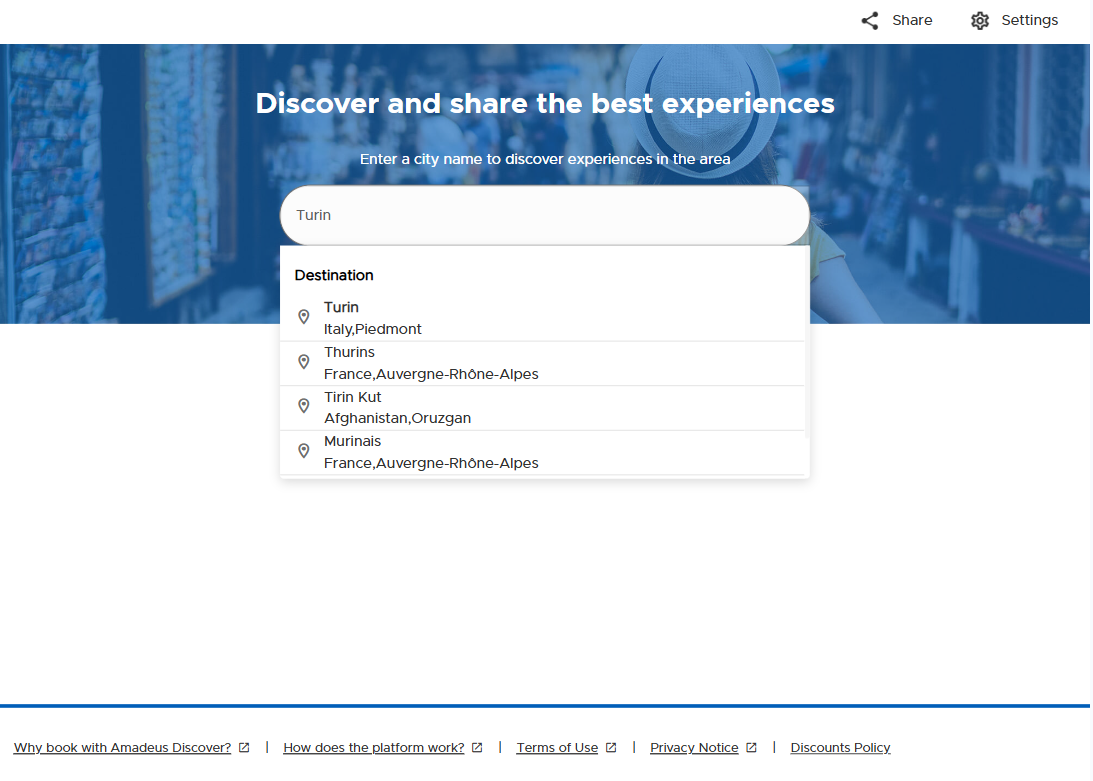
When your use case does not target a specific destination, it’s possible to offer your travelers a dedicated entry point to the White Label in which they are first able to search for a destination, then browse recommended activities in the area, the Destination Search view.
Through the textbox in the middle, via a multilingual autocomplete feature, the traveler will be able to select his destination and then navigate to a dedicated Welcome view (see below).
This view also includes a carousel of Top Destinations in direct access.
The default destinations in this carousel are pre-selected but can be configured based on your organization’s needs. Ask your Implementation Manager about it.
IMPORTANT: This possibility is an alternative to the default Welcome view and must be configured for your channel by Amadeus Discover, ask your Implementation Manager about it if you’re interested in it.
The result page after destination selection will display by default several sections of recommended activities in the selected destination, as per the default Welcome view configuration. Activities inside carousels can be configured for you by Amadeus Discover by editing the recommendation parameters for your channel, ask Implementation Manager about it if you’re interested.

Standalone Path
/v3/share/{yourChannelId}} an example can be found here
Widget Config
<traveler-widget
        channel-uuid="{yourChannelId}"
        view="welcome">
</traveler-widget>